
You can easily group your contacts using segment filters. These segments can be flexibly assembled from a variety of criteria.
Continue reading “How can I add contacts to a segment based on their properties?”FAQ
Download our Excel Template and follow these steps to import your contacts.
Continue reading “How do I import contacts into Mautic or Aivie?”
Marketing automation campaigns in Aivie can be divided into three types:
Continue reading “What are the Campaign?”Before you can create the campaign, you need to have all the linked elements ready, such as forms, segments, or assets.
The Campaignprovides a blank canvas on which you can build your Campaign. The functions include conditions, decisions and actions. You create your workflow by selecting different decisions, actions, and conditions, or simply dragging and dropping them onto the canvas.
- Click onCampaignStartCampaign”.
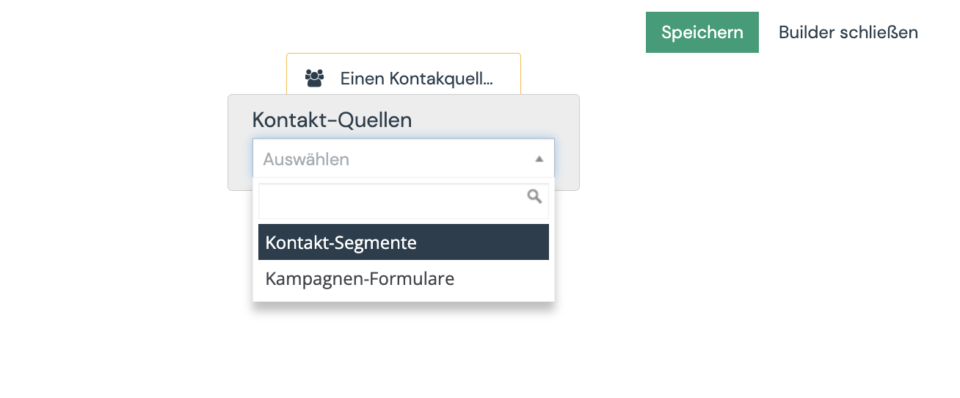
- Specify from which source the contacts for the Campaign should be taken. Campaigncan be triggered by contacts that are a segment and/or forms that have been submitted.
- Contact Segments: Select this option if you want to send your Campaign to a specific group of contacts who share certain attributes, such as “Based in the US” or “Visited Product A site.”
Note that the segment selection only shows public segments. So if you don’t find a segment in the list, please check in the segment if it is also published. - Contact forms: Select this option if you want to start the Campaign when the contact fills out a specific form. Forms are the primary point for collecting information about a contact. This information can then be used to perform a series of actions in a Campaign.
- Contact Segments: Select this option if you want to send your Campaign to a specific group of contacts who share certain attributes, such as “Based in the US” or “Visited Product A site.”
- Click the plus in the gray circle to add at least one event to your Campaign.
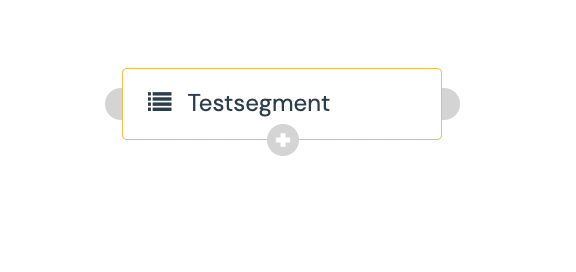
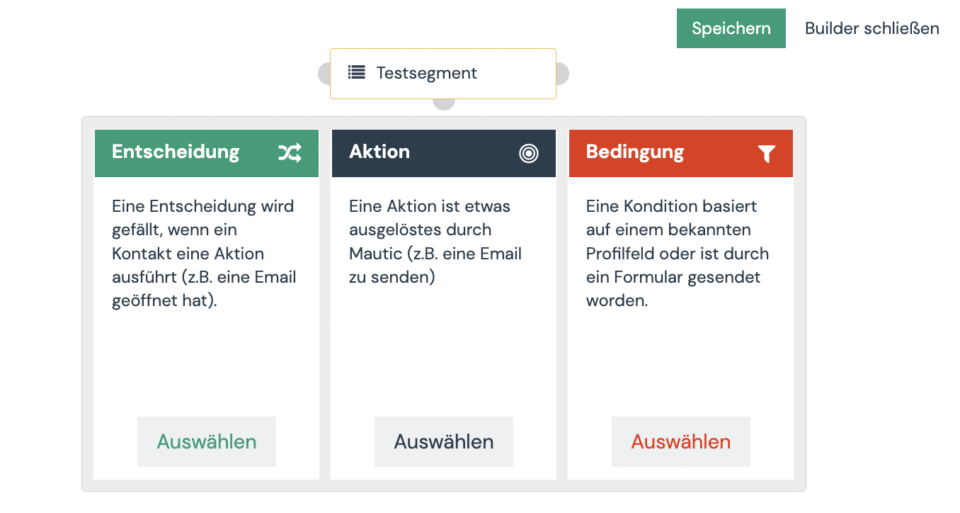
An event consists of individual actions, decisions and/or conditions, or a combination thereof. If this logic is new to you, then you can learn more about the individual events in the Mautic documentation.
Campaignare central to contact management, to your marketing efforts, and to drive sales.
Continue reading “How do I build a newsletter follow-up campaign?”
With Aivie, you can test your emails with mailtrap.io.
Besides the Change and Close buttons, you’ll find the drop-down menu to preview the form.
There are two different types of forms in Aivie: campaign forms and single forms.
One possible reason is that a form field that is not visible is set to “Mandatory”. E.g. a free HTML field. But this can only happen if you create a form via the API.
Specific values can be stored in the campaign in combination with the action in the form settings via “Sends the content of the form”. These can then be checked in the campaign with the Form Field Value condition.
Continue reading “In a campaign, can I check which answer a contact has given via a form?”
Forms are cached to ensure they load as quickly as possible. You’ll need to clear the cache if the page URL has been changed.
A selected contact or all contacts can go through the campaign again.
This is best solved in 2 steps. Otherwise you will get the error message: “Contact removed from campaign”.
Continue reading “How can I remove a contact from a segment in a campaign”
If a contact has already received an email marked as a marketing email, Aivie remembers it and it is not sent again.
Continue reading “What happens if a marketing email has already been sent to the contact?”
This function is great for e.g. webinar, end of subscription, or birthday:
This function is ideal for newsletters, webinars, special promotions, or event invitations. Imagine you want all your contacts to receive your monthly newsletter in the first three weeks of the month. Both existing contacts and those who newly subscribe to the newsletter.
Continue reading “How can I send an email or newsletter within a specific time frame?”Important to note:
If the tag is not set on the confirmation page, contacts who are not yet registered in the Campaign (and on hold) will slip through the cracks.
This works best if you link emails and select English as the default/parent language.
Continue reading “How do I send a Campaignemail in the contact’s language?”
Campaigns should always serve a purpose and not be too extensive.
As a rule of thumb: A campaign should fit on the screen.
Continue reading “What is important when setting up a campaign?”
If you want to send a new newsletter, select the Email segment and not the Email template. The email can then be sent as a newsletter to the contacts in the selected segment.
Continue reading “How do I send a newsletter?”It can happen that a wrong link is stored in an email. If this email is sent and the contact clicks on the non-existent link, Aivie recognizes the click and sets the “Last Active” according to the click. However, nothing is then displayed in the history because the page was not found.
The problem can therefore be traced back to a non-existent URL.
This means < the trigger will be fired if the value is smaller than the specified one.
No, the triggers are not displayed in the history.
Yes, the contact receives the e-mail in High German.
How to create assets in Aivie:
Segments are assigned to a contact using the following steps:
To do this in the editor, you can manually change the link by appending ?stream=1 to your link, such as https://m.domain.ch/asset/1:learning-sheet-en?stream=1
In the chart we count the contacts. In the table we count the clicks on each link.
Continue reading “How to understand the click numbers in an email?”
To link an email to a form or campaign, you should select the email kind template, not the email kind segment.
Continue reading “What type of email is used for a form or campaign?”To add a contact to a segment, you can select the contact and select it via the drop-down menu «Change segment».
Continue reading “How do I manually assign (multiple) contacts to a segment?”To set a person to “do not contact”, you can select the person and use the drop down to select “do not contact”.
Continue reading “How do I manually set a person to “Do not contact”?”
For each contact import process, a segment can be specified for all contacts in the Excel table (or Google Sheets; it just needs to be a CSV). This allows you to quickly and easily assign many contacts to a segment.
Continue reading “How do I upload contacts from an Excel table into a segment?”From the variables (tokens) the correct values are deposited by your contacts when sending. For example, {contactfield.firstname} then becomes Robert.
Continue reading “Why isn’t the [First Name] being resolved in the sent email?”
This allows you to activate and deactivate your campaign at a specific time.
Continue reading “How do I activate and deactivate Campaignat a specific time?”Our Aivie email templates include the following social media profiles in the footer by default:
- YouTube
- Mastodon
- TikTok
- Podcast
Open your Mautic settings sidebar and click on API credentials.
To sync a new contact with a card, you can simply add the link to the contact as an attachment or use the built-in search function.
Continue reading “How do I sync contacts with my Trello board?”
If you see this page it most likely means that your API Settings are wrong.
Continue reading “Error: I’m sorry! I couldn’t find the page you were looking for.”
If you see this warning, it means that your secret key is missing.
Continue reading “Error: Sorry no connection to Aivie/Mautic. Please check your configuration.”
This error message appears during the Trello authentication process or setup.
If you see this warning it means that your secret key is wrong. Please disable the plugin and add it again to change the settings.
Aivie can be set up so that each email is sent on behalf of the account managers (owners). This can be changed via email or in the global settings.
Continue reading “How do I use the signature as the holder/owner?”Forms are generally integrated and styled via the themes and CSS on the website. Your Aivie is already set up so that there are multiple themes in your CI/CD.
To select multiple pages, an asterisk (*) can be used as a placeholder.
Continue reading “How can I assign points for multilingual URLs?”
Aivie has two passwords: Aivie Website Account for everything related to ordering and Aivie Tool for your marketing automation. You can also find the URL to your Aivie Tool in your Account.
Continue reading “How do I change my password?”The profile picture is automatically obtained from the gravatar.com service.
Continue reading “How do I set a profile picture for my user?”
A CSRF error message means that your cookie has expired and you need to log in again.
Das konkrete Aufsetzen variiert stark je nach verwendetem DNS Anbieter (z.B. Namecheap, Cyon, Hostpoint, GoDaddy, usw.).