
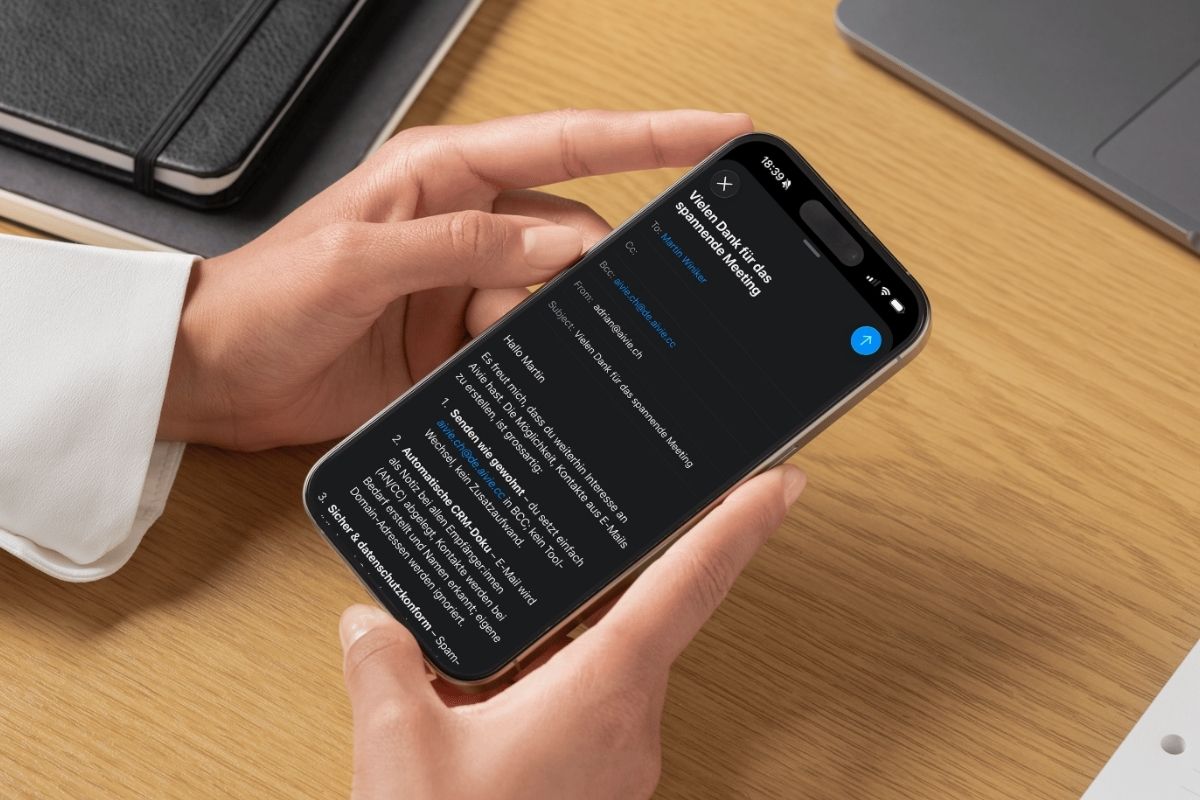
Important replies from leads and customers often end up in a personal inbox. This means your team is missing exactly the context in the CRM it needs for good follow-ups.
With the Aivie Email Archive, you decide which messages are saved in the CRM. Send relevant emails to Aivie via CC or BCC. The message is imported, assigned to the right contact, and saved in the contact timeline.
Archive only selected emails in the CRM
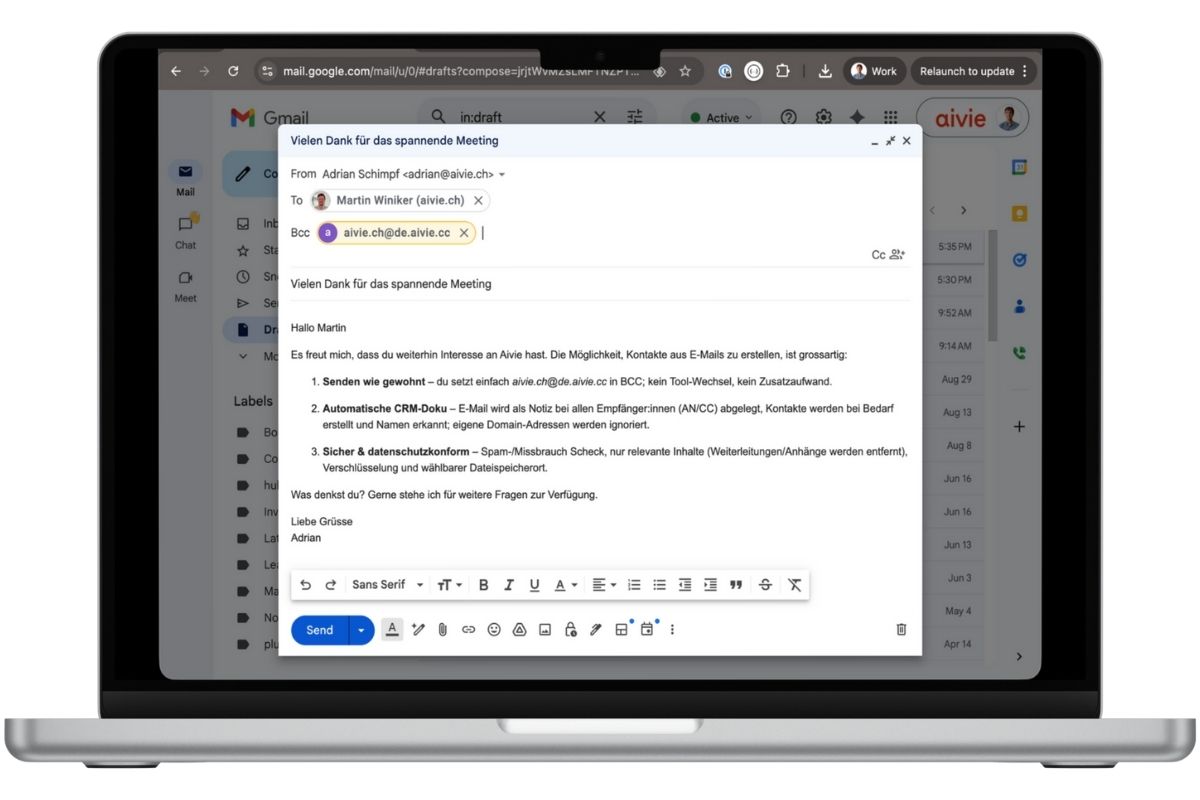
Not every message in your inbox belongs in the CRM. That’s why only emails you intentionally send to Aivie are archived. To do this, add your personal Aivie archive address as CC or BCC when sending or forwarding.
How the Email Archive works
- You select the relevant email.
- You send it to your Aivie archive address via CC or BCC.
- Aivie imports the sender, recipients, subject, and content.
- Existing contacts are recognized based on their email address.
- If a contact doesn’t exist yet, it is created automatically.
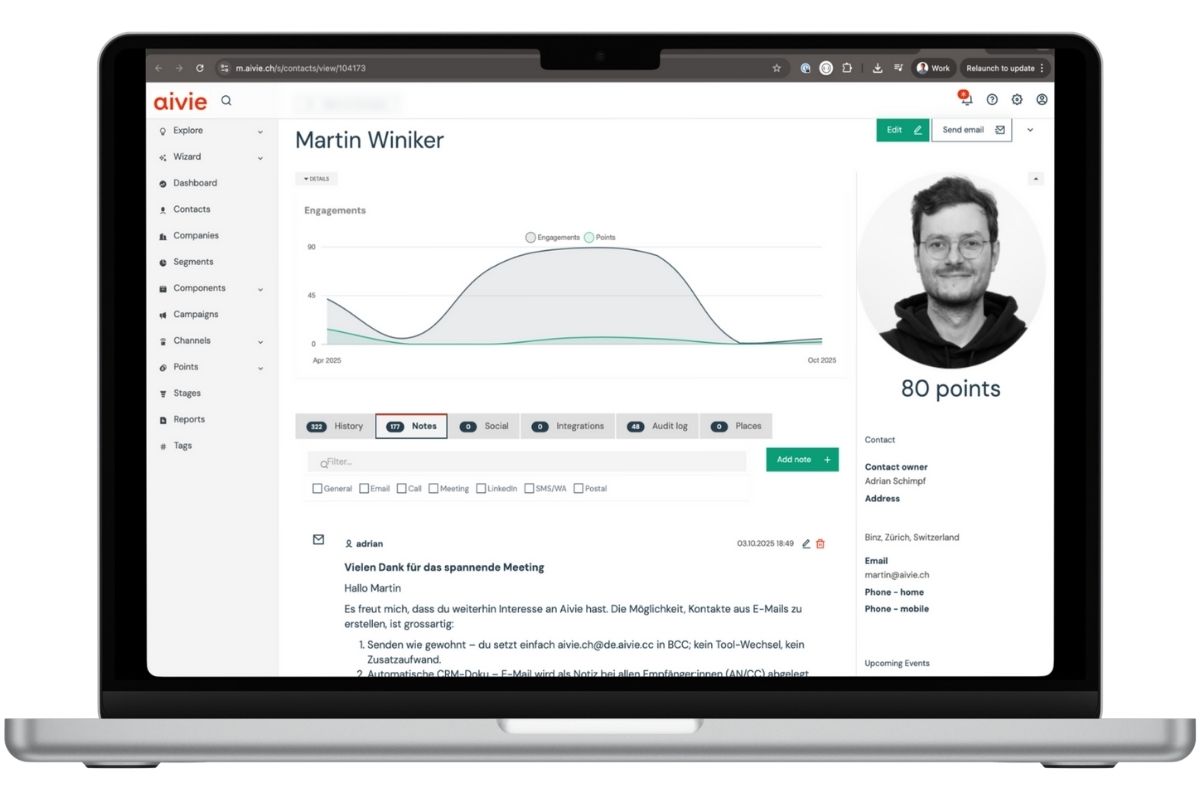
- The email is saved in the timeline of the contacts involved.
Threads are not recognized separately or merged. Each selected email is archived as an individual message with its subject and content.
Relevant communication directly on the contact
When you open a contact in Aivie, you see your archived email communication alongside campaign activity. Replies, follow-up questions, and decisions are available where marketing, sales, and consulting need them.
Less searching, better follow-ups
Everyone works with the same context
Marketing, sales, and consulting see relevant communication directly on the contact. Information stays available even when multiple people look after a customer.
You stay in control
You decide for each message whether it is saved in Aivie. Personal or irrelevant emails stay in your inbox.
Manual filing becomes easier
Instead of copying content or documenting it in a separate list, a CC or BCC address is enough. Archiving becomes part of your existing email workflow.
Available as an add-on for Aivie
The Aivie Email Archive add-on connects your email infrastructure with Aivie. Setup, mapping, and testing are tailored to your configuration.
Try Aivie with Email Archive
Do you want to save selected customer communication to the right contact? Take a look at the Email Archive add-on or book a demo for your workflow.
Lass deine Kontakte nicht warten.

Kostenlos mit Aivie starten.
Nutze Aivie 30 Tage lang kostenlos und prüfe wie du dank Aivie deine Kontakte gezielt erreichen kannst. Aivie bietet dir schon im Trial alle Möglichkeiten der Vollversion.
Probier es jetzt einfach aus.