
I would like to display certain content in an email – e.g. buttons, images or entire sections – only on desktop or only on mobile. Aivie offers a Visibility option per block, which allows content to be specifically shown or hidden depending on the device.
This function is particularly suitable for:
- different button layouts
- Mobile-optimized call-to-actions
- alternative image sections for desktop and mobile
Control visibility per block
The button block has the Visibility option in the Settings.
There you can select:
- All Devices
- Desktop only
- Mobile only
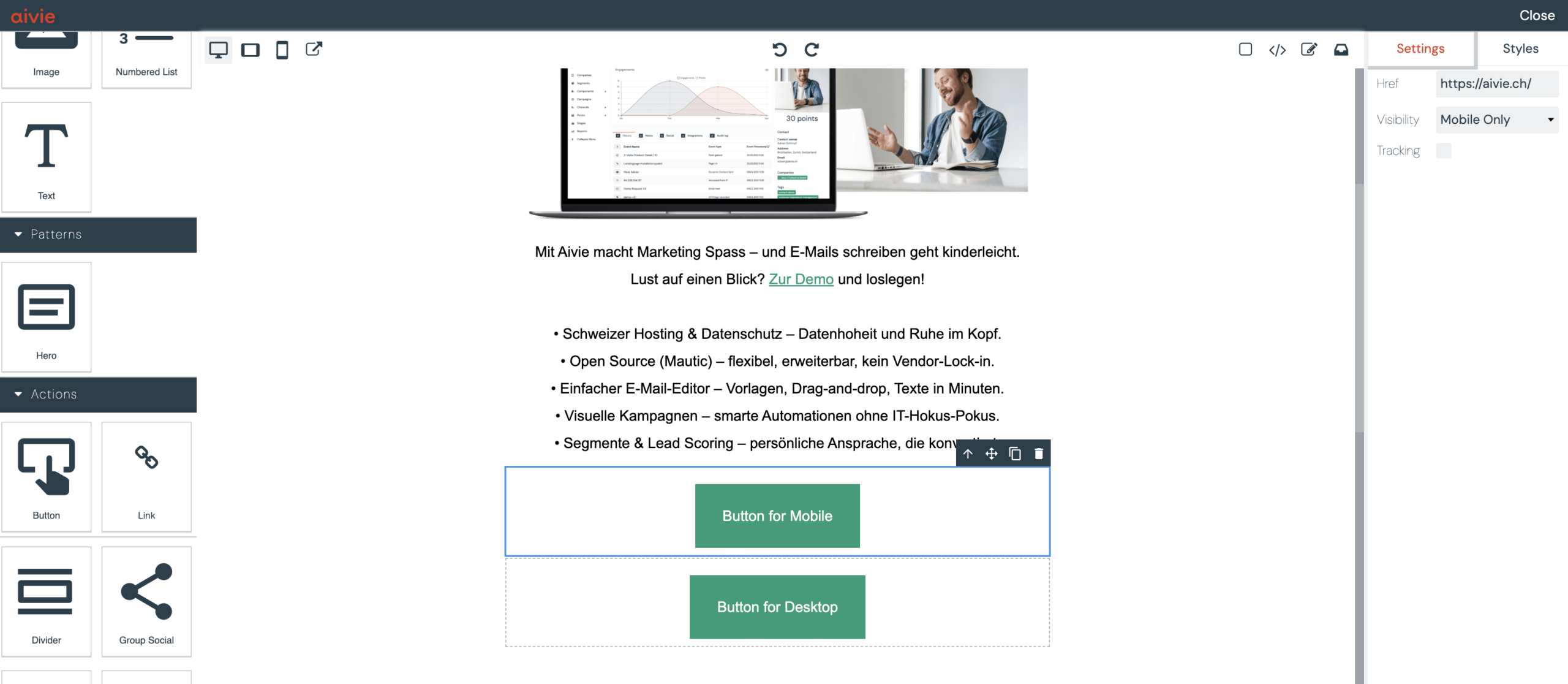
The content will then only be rendered on the selected devices.
Show or hide entire sections
The visibility option can also be applied to entire Sections.
Typical use:
- Desktop section with multi-column layout
- Mobile section with simplified display
Typical applications
1. Different buttons for desktop and mobile
Example:
- Desktop: wide button, aligned to the left
- Mobile: large full-width button
You create two buttons for this:
- Button A → Visibility: Desktop only
- Button B → Visibility: Mobile only
Both can use the same link, but be designed differently.
2. Different images depending on the device
Example:
- Desktop: wide screenshot image
- Mobile: compressed section or simplified motif
Here too:
- Image A → Desktop only
- Image B → Mobile only
This ensures that the image effect remains controllable per device.
Technical note
The visibility control in Aivie is based on client-compatible CSS rules that are supported by common email clients (including iOS Mail and Gmail).
However, no guarantee can be given that the rule will be applied in all cases.
Recommendation
Use “Desktop only” / “Mobile only” specifically for:
- Call-to-actions
- complex layouts
- image-heavy content
For normal text content, a uniform layout is usually sufficient.
Conclusion
With the visibility option in Aivie, content can be displayed or hidden device-specifically.
This allows emails to be optimally tailored to desktop and mobile – without separate templates or manual CSS adjustments.
