
With Aivie, you can test your emails with mailtrap.io.
You can test send your emails to your segment, but the emails will end up in the test box and not with your contacts. Here’s how you can check them.
If you want to use the email in Campaignlater on, you can simply clone it and make it a Campaign.
Here’s how:
- You create your own mailtrap account.
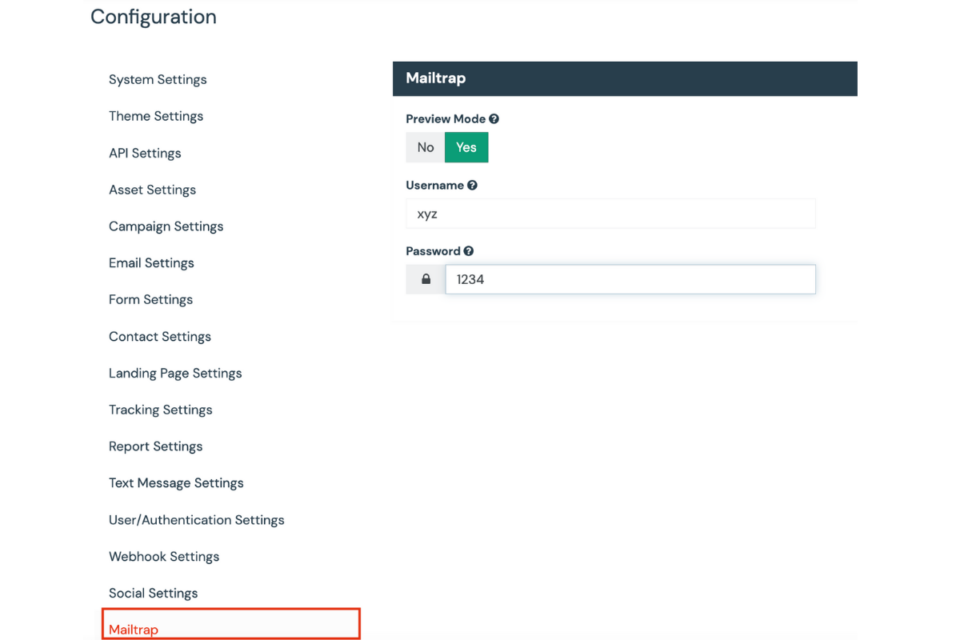
- In your Aivie settings you can turn on Mailtrap test mode and link to Mailtrap.
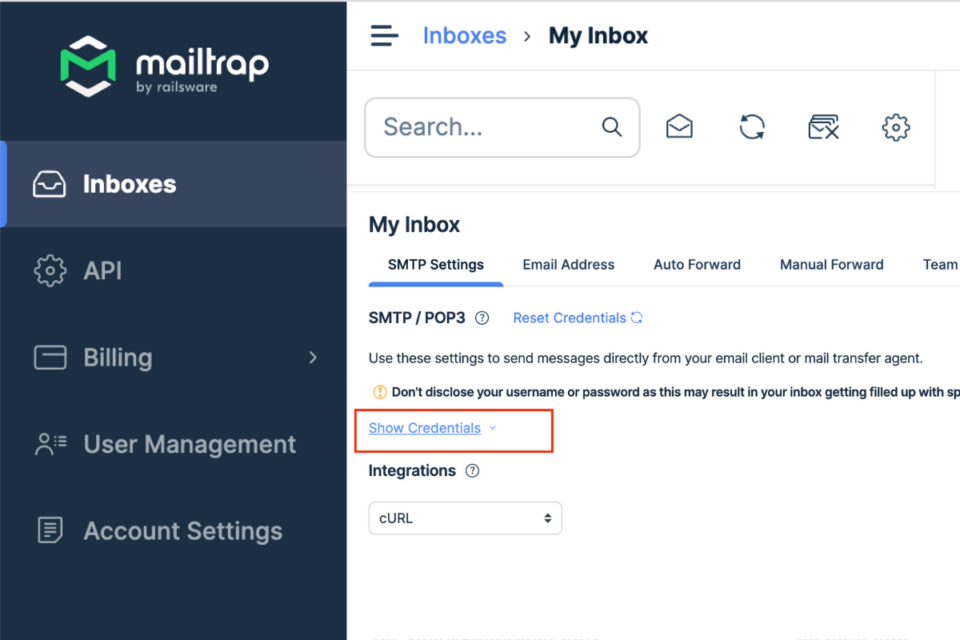
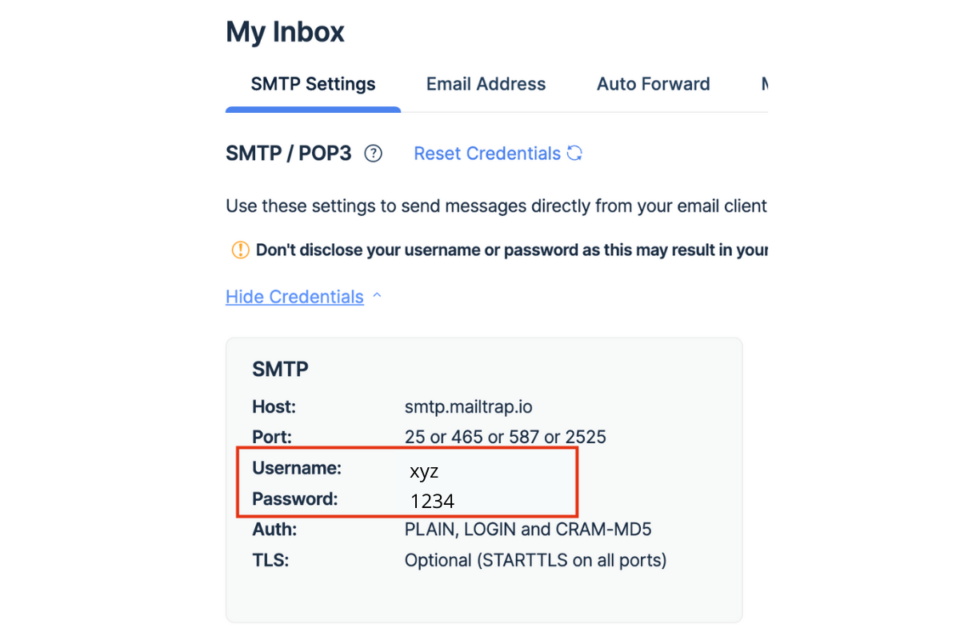
- You can find the Mailtrap username and password in Mailtrap in your inbox under the credentials.
- Once you have set the test mode, you can send your email to your segment as usual. The email will not arrive at your contacts, but in Mailtrap, where you can check it.
- Once you are satisfied with your email, you can turn off the test mode and send as usual.
Note: Segment emails are only sent to a contact once. So either clone the email or change the segment to send the email to other contacts.
