

DKIM is a digital signature for emails. It helps the receiving mail server verify which domain signed a message and whether the signed parts arrived unchanged. If you send newsletters from your own sender domain, DKIM is part of the basic technical setup.
Here you’ll learn how to set up and verify DKIM, which DNS records you need for Aivie, and how DKIM works together with SPF and DMARC.
What is DKIM and how does it work?
DKIM stands for DomainKeys Identified Mail. Think of the signature like a digital seal: the sending service attaches it when sending. The receiving mail server verifies it using a public key, which it finds via the DNS of the signing domain. DNS is the directory where, among other things, your domain’s technical settings are stored.
The private key stays with the sending service. It should never appear in your publicly accessible DNS records. DKIM checks the signed parts of the message and links them to a domain. It does not confirm the identity of a specific person and does not encrypt the content. The technical basis is described in DKIM Standard RFC 6376.
Why is DKIM important for your email marketing?
Mail providers need to decide which senders to trust. A valid DKIM signature provides an important technical signal for that. Missing or invalid authentication can make delivery more difficult. However, DKIM is no guarantee for landing in the inbox.
At Google, senders with more than 5,000 messages per day to private Gmail addresses must set up SPF, DKIM, and DMARC, among other things. Marketing emails are also subject to additional unsubscribe requirements. The current Gmail guidelines describe the details. We recommend a complete setup even for smaller mailing lists.
Your content, your contacts’ expectations, and complaints about unwanted messages also remain relevant. You can find out more in our article How to Keep Emails Out of Spam.
Setting Up DKIM with Aivie
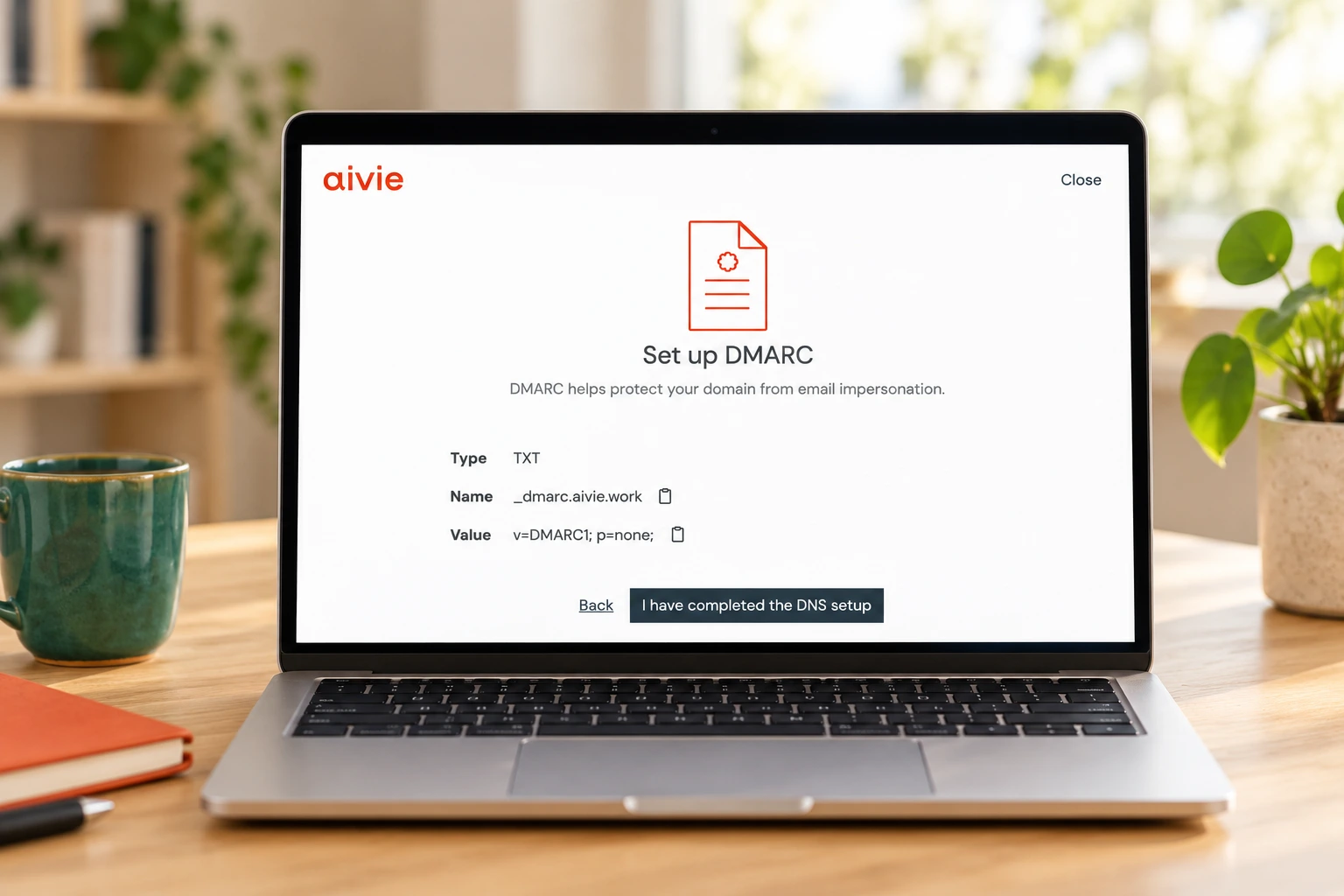
The Aivie Setup Wizard takes you by the hand and guides you step by step through setting up DKIM. It clearly shows you what to do next. This way, you can set up your sender domain with clear instructions.
Verifying DKIM: The Received Email Is What Counts
Send a test message from Aivie to an external inbox. Open the original message or the full headers there. In the receiving mail server’s authentication results, look for Authentication-Results and dkim=pass. Also check which domain the successful signature uses.
For the technical check, two details in DKIM-Signature are helpful: d= names the signing domain, and s= the selector. The selector identifies the matching key. This allows multiple services to use their own keys for the same domain.
A successful signature from any domain is not automatically enough for DMARC. The signing domain must match the visible sender domain. So also check dmarc=pass. If there are multiple signatures, one successfully aligned signature is enough for this purpose.
What is the difference between SPF, DKIM, and DMARC?
| Method | Task |
|---|---|
| SPF | Checks whether the sending server is authorized for the technical MAIL FROM domain. |
| DKIM | Checks the message’s digital signature and the domain used for it. |
| DMARC | Links SPF or DKIM to the visible sender domain and publishes a policy for messages that fail this check. |
DMARC passes if at least one of the two methods succeeds and the domain matches the visible sender domain. This matching is called alignment. With relaxed alignment, matching subdomains can be enough; with strict alignment, the domains must match exactly. Details are explained in the documentation on DMARC and alignment.
Why does Aivie use its own MAIL FROM domain?
Aivie’s standard setup also includes its own MAIL FROM domain, for example email.deine-domain.ch. This is where the SPF record and the MX record for delivery notifications are stored.
DKIM Not Working: Common Causes
- Domain added twice: Check whether the saved name accidentally contains your domain twice. E.g.: _dmarc.aivie.ch.aivie.ch
- Wrong type or wrong target: Copy the CNAME and target exactly as provided. A DKIM switch for your hosting provider’s mailboxes does not replace the records for Aivie.
- One of the three records is missing: Compare the full list with the details provided by Aivie.
- DNS change: If you switch nameservers, the DKIM records must be present in the new DNS zone.
- Message altered afterwards: Changes to signed content after sending can invalidate the signature. Check the message as actually received.
If you’re unsure, pass the check on to your IT team or the Aivie Team.
Frequently Asked Questions About DKIM
Is a DKIM record a TXT or a CNAME?
Both occur. The public key is retrieved via DNS as TXT content. Some sending services let you publish this yourself, others use a CNAME as a reference. For the Aivie setup, you use the CNAME records provided.
Do I need DKIM for every sending service?
Each service needs to be set up correctly for its own sending. A DKIM setup for Microsoft 365 or Google Workspace does not automatically sign newsletters sent through a different service.
Does DKIM prevent my newsletter from ending up in spam?
DKIM is an important building block for authentication. It does not guarantee placement in the inbox. Recipient interest, complaints, and the sender’s reputation also play a role.
Do I need to set up DKIM again before every campaign?
No. As long as the sending service, domain, and key management continue to work unchanged, the records remain valid. Check authentication especially after switching providers or making changes to your DNS.
Marketing Automation that simply works

Start immediately with the right use case package from Aivie
Whether it’s winning leads, building customer loyalty, or securely implementing data protection – with our preconfigured Use Case Packages, you can get your marketing automation up and running quickly and effectively. No lengthy onboarding. No detours. Choose a package, simply get started, and see results.
