

Description
It is uncomfortable when customers have to point out errors in your emails. Broken links, incorrect rendering, or unexpected content quickly appear unprofessional and give the marketing team the feeling that they do not have full control over their own Aivie/Mautic environment.
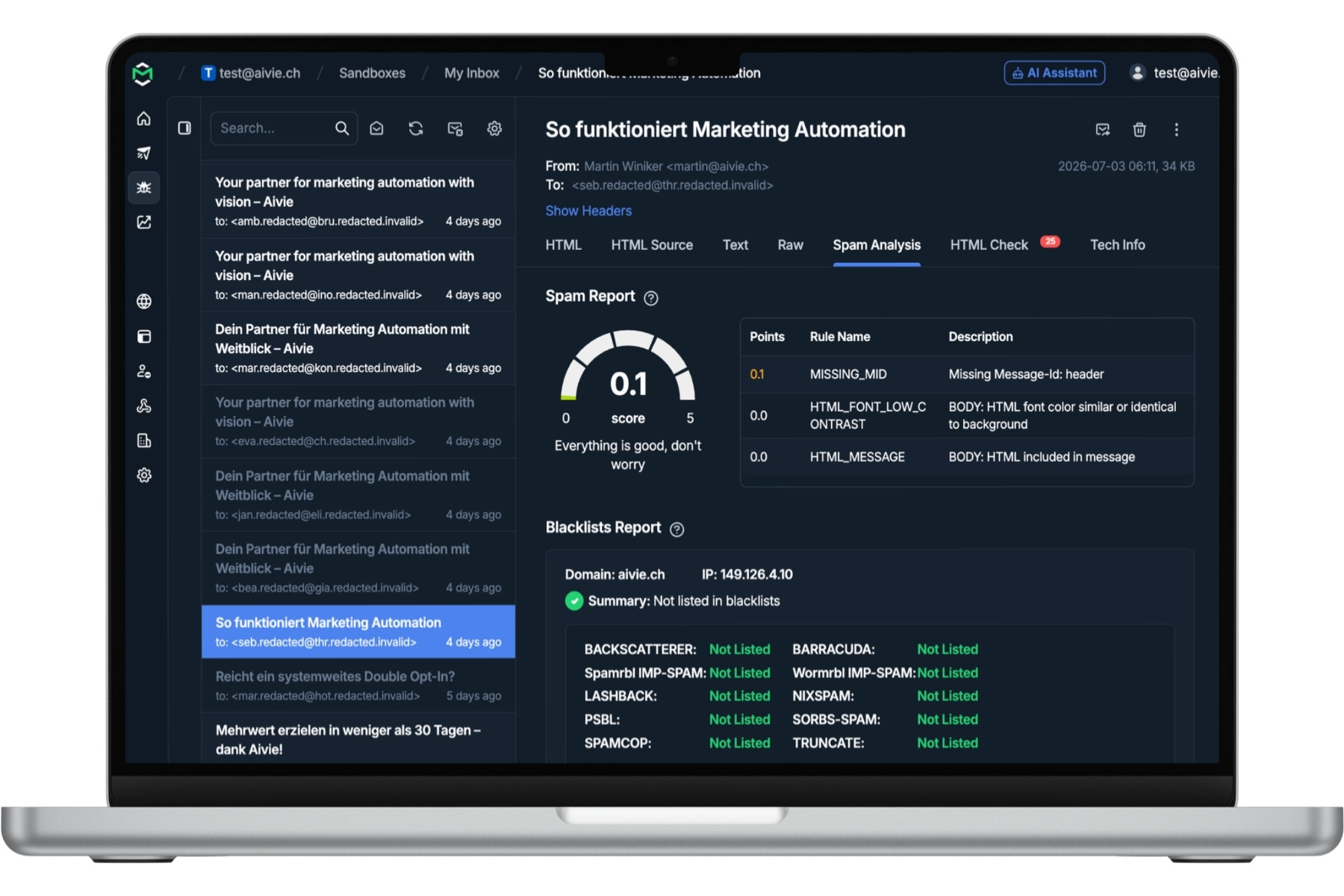
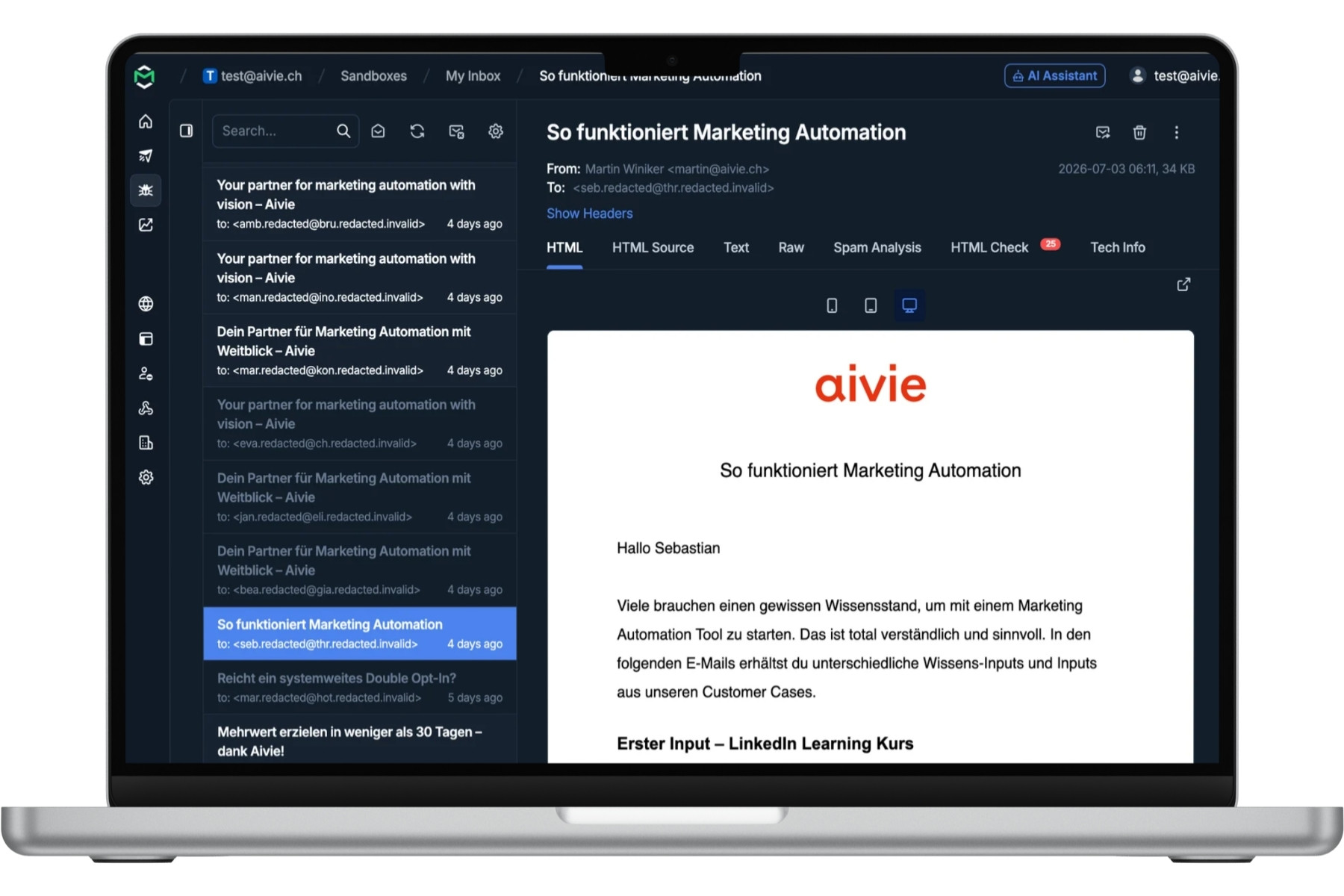
The Aivie/Mautic Mailtrap Plugin helps you avoid exactly that. In addition to classic email tests, you can now activate email sampling: A freely defined percentage of your productive emails is additionally sent to Mailtrap. This allows you to see in real time which emails are actually going out, what they look like, and whether they arrive correctly.
Aivie/Mautic Mailtrap Plugin for more control over your emails
Marketing automation often runs in the background. Campaigns send emails automatically, follow-ups are triggered, and contacts receive content based on their behavior. This is efficient, but it can also be unsettling: What is actually being sent right now?
With the Aivie/Mautic Mailtrap Plugin, you get more transparency in your email delivery. You can check productive emails on a sample basis in Mailtrap without stopping the ongoing delivery or having to manually check every campaign.
Email Sampling: Check productive Aivie/Mautic emails in real time
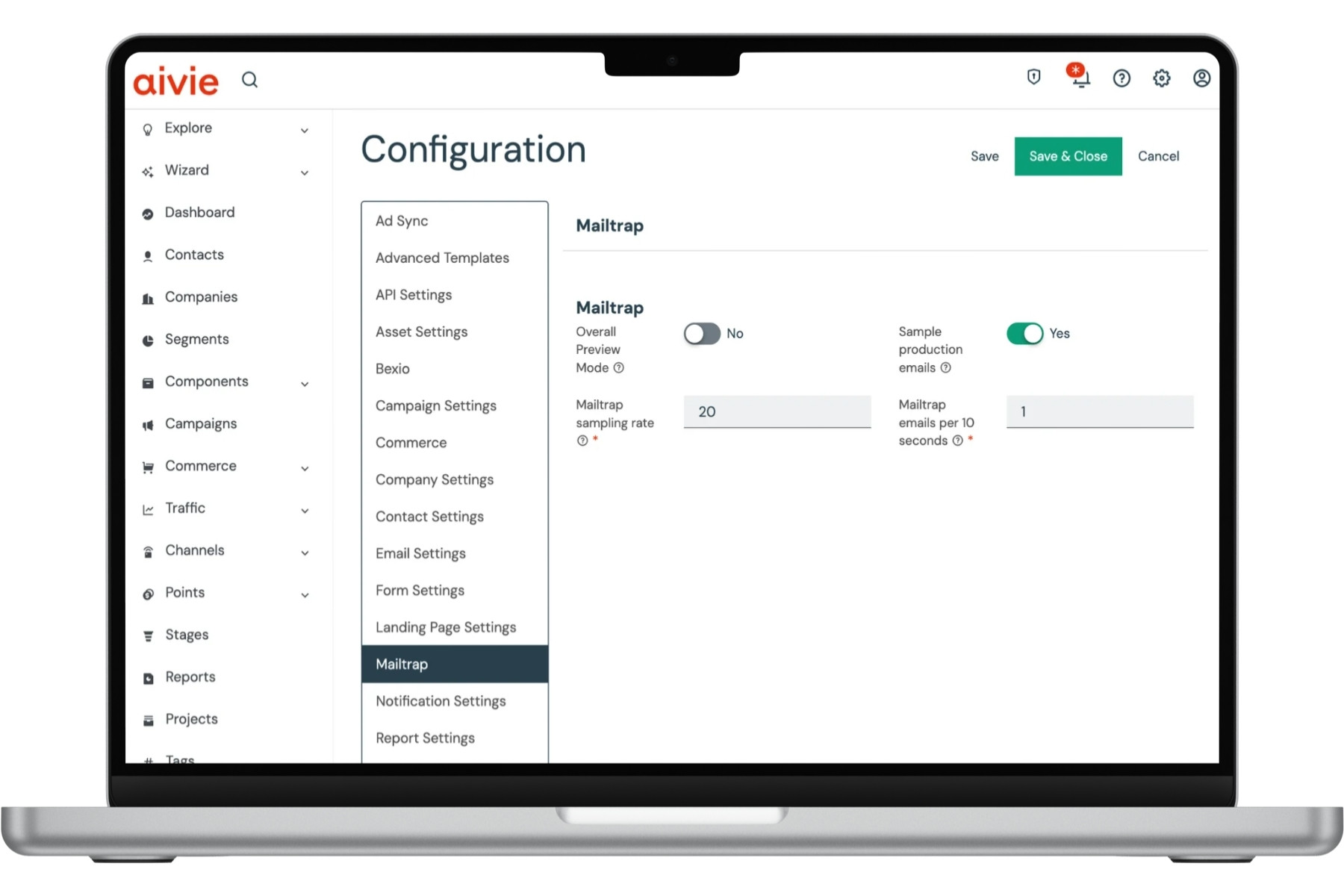
The new sampling feature sends a configurable percentage of all productive emails additionally to Mailtrap. This creates ongoing quality control of your real email communication.
- Check real emails: You see not just test emails, but real emails from your ongoing Aivie/Mautic campaigns.
- Set sampling percentage: You determine what proportion of your emails is additionally sent to Mailtrap.
- Limit maximum queue: The number of stored sampling emails can be limited to maintain an overview.
- Clearly identify sample emails: Sampled emails are visibly listed and can be specifically checked.
- No tracking for sampling emails: The emails additionally sent to Mailtrap do not distort your Aivie/Mautic tracking.
Email sampling with redaction: review real emails without sharing unnecessary data
Before a sampled email is additionally sent to Mailtrap, it is automatically redacted. This means: content that isn’t needed for review in Mailtrap is masked or removed before forwarding.
This lets you monitor real emails from Aivie/Mautic production sending without passing unnecessary personal or sensitive information on to Mailtrap. Your marketing team can still see whether the email was generated correctly, whether the layout, links, and technical structure are correct, and whether sending works as expected.
This gives you a sensible balance between quality control and data protection: you see in real time what leaves your marketing automation, while also reducing the amount of data shared for the testing process.
Why email sampling is valuable for marketing managers
Trust is particularly important in marketing. You want to be sure that newsletters, follow-ups, and automated campaigns look professional and are delivered correctly. Without ongoing monitoring, you often only notice errors when customers or internal stakeholders react to them.
With the Aivie/Mautic Mailtrap Plugin, you can track what is going out of your marketing automation at any time. This gives you security in your daily work and helps you identify problems earlier.
- Fewer unpleasant surprises: Errors are noticed internally before they become an issue for customers.
- More control during operation: You see real emails from productive campaigns in Mailtrap.
- Better quality assurance: Content, links, images, and rendering can be checked regularly.
- Professional appearance: Your email communication appears more reliable and consistent.
Aivie/Mautic Mailtrap Plugin for email tests before sending
The plugin continues to support you with classic email tests before sending. You can check emails in a secure Mailtrap environment before they are sent to real recipients.
-
- Check links: Identify broken or incorrect links early on.
- Control images: Ensure that images are loaded correctly.
- Test layout: Check whether your emails are displayed cleanly.
- Control content: Avoid incorrect texts, placeholders, or unwanted test content.
- Improve deliverability: Use Mailtrap to identify technical issues before the live send.
- Redaction before sending to Mailtrap: Sampled emails are redacted before being forwarded to Mailtrap so that no unnecessary personal or sensitive content ends up in the test environment.
Mailtrap Test Connection button for quick setup
To help you get started faster, the Aivie/Mautic Mailtrap Plugin includes a Test Connection button. This allows you to directly check if the connection between Aivie/Mautic and Mailtrap is set up correctly.
This reduces uncertainty during configuration and helps your team work productively faster.
Who is the Aivie/Mautic Mailtrap Plugin suitable for?
Marketing Managers: You get more security in your daily email marketing. You see in real time which emails are going out of Aivie/Mautic and can identify errors before they become embarrassing.
Email Specialists: You can continuously monitor quality, rendering, and deliverability without having to manually oversee every campaign.
Developers and technical teams: You can test the integration cleanly, analyze productive samples, and ensure that sampling emails do not distort your tracking.
What is Mailtrap?
Mailtrap is a tool for testing email delivery in development, staging, and test environments. It intercepts emails or displays them in a controlled environment without bothering real recipients.
In combination with the Aivie/Mautic Mailtrap Plugin, Mailtrap can also be used for ongoing quality control. Through the sampling feature, you can not only check prepared test emails but also observe real emails from productive delivery.
Lass deine Kontakte nicht warten.

Kostenlos mit Aivie starten.
Nutze Aivie 30 Tage lang kostenlos und prüfe wie du dank Aivie deine Kontakte gezielt erreichen kannst. Aivie bietet dir schon im Trial alle Möglichkeiten der Vollversion.
Probier es jetzt einfach aus.
Our Terms and Conditions apply



Reviews
There are no reviews yet.