Description
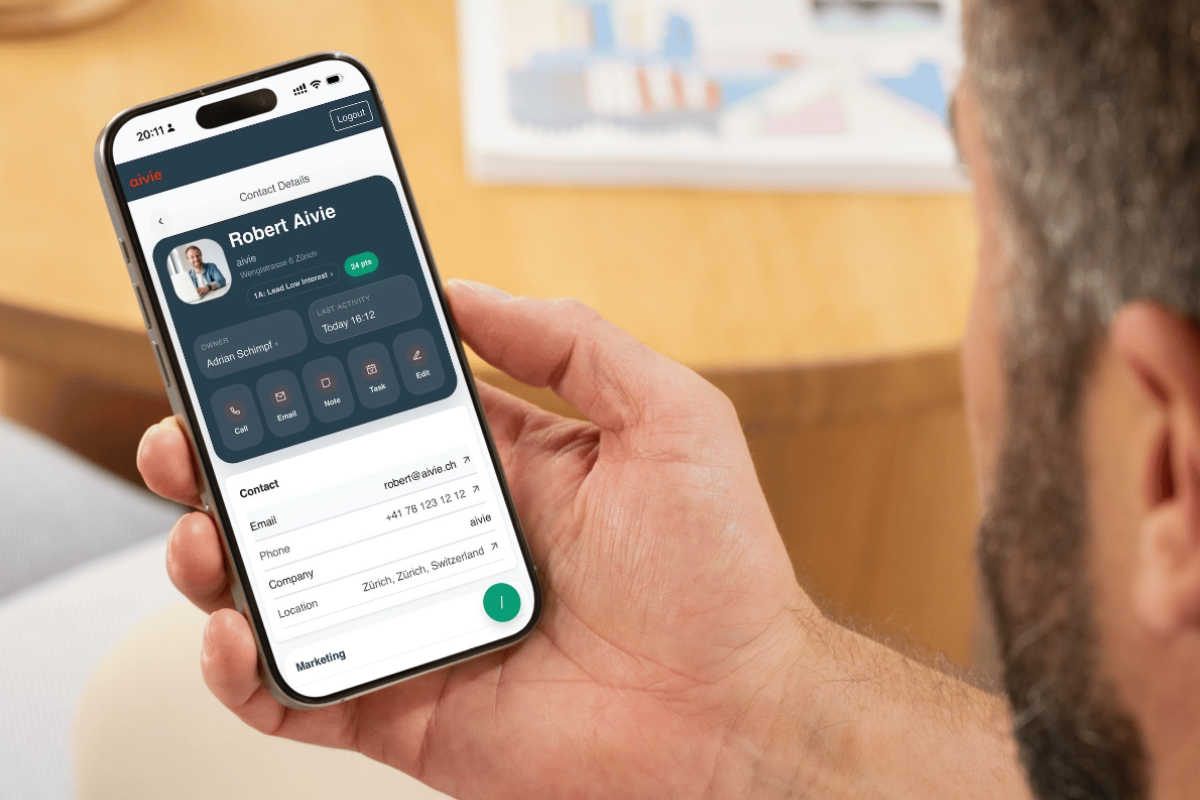
With Aivie’s Mautic Mobile App, your Mautic CRM becomes truly mobile. Manage contacts, capture notes, or update a lead’s status – all directly from your smartphone or tablet.
Many marketing and sales teams no longer work exclusively at their desks. Conversations with customers, events, or spontaneous meetings happen on the go. That’s exactly where the Mautic Mobile App helps: it brings the most important functions of your Mautic CRM into a clear, mobile-optimized interface.
After a customer meeting, you can immediately save a note, update the funnel status, or adjust the assigned owner. This keeps your CRM data current and your team working with the same information.
The app can be installed as a web app on your smartphone and feels like a native app. This way, you have your Mautic CRM at your fingertips at all times – whether in the office, on the train, or at a customer’s location.
Key features of the Mautic Mobile App
Find contacts quickly
Search for contacts using fast typeahead search and open their details with just a few clicks.
Contact activities at a glance
View relevant activities like email interactions, page visits, or form actions clearly over time.
Capture notes directly on contacts
Save conversation notes immediately after a meeting and edit them later if needed.
Manage sales funnels and stages
Change a lead’s status quickly and easily via an optimized stage selection.
Change owners and adjust responsibilities
Assign contacts to another owner directly from the mobile view.
Manage tags and segments
Add or remove tags via smart search. Contacts can also be added directly to segments.
Edit contact data
Edit important fields like name, email, or other contact information.
Open addresses directly
Open saved addresses directly in Google Maps and navigate to your next appointment.
Command palette for quick actions
Access important functions quickly via a command palette.
Installable mobile app
The app can be installed on your smartphone and behaves like a native app.
Why a Mautic Mobile App makes sense
Many companies use Mautic successfully for marketing automation. In daily operations, however, there’s often no simple way to edit contacts on the go.
The Mautic Mobile App fills exactly this gap. It complements your Mautic CRM with a mobile interface for sales and marketing.
This leads to:
-
more current CRM data
-
faster lead processing
-
better collaboration between marketing and sales
-
fewer forgotten follow-ups
Who is the Mautic Mobile App suitable for
The Mautic Mobile App is especially suitable for:
-
Marketing managers who manage leads and contacts
-
Sales teams who conduct customer meetings on the go
-
Companies that actively use their Mautic CRM in the sales process
-
Teams that want to update CRM data directly after meetings
Licensing model
The Mautic Mobile App is offered as a license per user per month.
Each person who uses the app and gets access to the mobile Mautic CRM needs their own license. This keeps usage transparent and can be flexibly adjusted to your team size.
The number of licenses can be increased or reduced at any time.
According to our General Terms and Conditions.